





















Imposter 3D online horror
About Imposter 3D: Online Horror
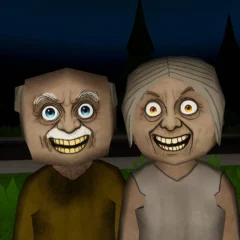
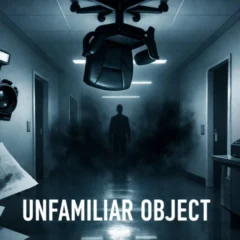
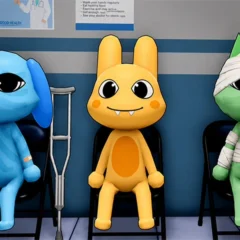
Imposter 3D: Online Horror is a 3D survival horror game by Snow Bat. As a crewmate, you search dark maps for mini astronauts, complete tasks, and stay out of the Imposter’s reach. You can play solo or join an online match. Check the mode before you start. In PvE the Imposter is controlled by the game, while in Mafia the threat can look like an ordinary crewmate until they transform.
Choose a Mode Before You Start
| Mode | What to focus on |
|---|---|
| Mafia | Watch for a disguised Imposter among the crew. Use what you saw to decide who to vote out. |
| PvE | Work with other crewmates against a computer-controlled Imposter. Cover different areas when it’s safe to split up. |
| PvP | Human players can take the Imposter role. As a crewmate, plan where to go if another player cuts off your route. |
| Zombie | Anyone caught by an Imposter joins the infected side. As threats multiply, steer clear of routes that leave you cornered. |
| Hide and Seek | Find cover and survive until the round ends. Rescuing mini astronauts is optional here. |
| Hunt | Collect as many mini astronauts as you can before time runs out. |
| Rescue | Imposters can lock astronauts in cages. Watch for captured crewmates and check the area around a cage before going in to help. |
| Lava | Work on objectives while the Imposters hunt you. Keep track of reachable high ground for when the lava rises. |
How to Play as a Crewmate
Search in short loops. Choose a room or stretch of corridor, look for mini astronauts, and check which tasks you can complete nearby. Objectives can include restoring oxygen or getting equipment ready. If you leave a task unfinished, remember where it was so you can return when the area is clear.
Keep a route out of each room. As you search, note a second doorway or a place to hide. Try an accessible vent or look beneath a table when the Imposter is nearby. The Imposter can also use vents, so check where you are about to emerge before coming out. In modes with traps, use them to buy time to get away or finish an objective.
Manage your flashlight. Use it to check dark corners and see what you’re approaching. Keep a battery available so you can restore the charge before going into an area where you’ll need the light. Some station monitors show crew sensor positions, which can help you check where someone was last seen.
Playing as the Imposter
In PvP, your job is to catch the crew as they move between objectives. In Mafia, you can blend in with the astronauts and reveal your Imposter form when you choose. Crewmates can vote you out, so a transformation that another player sees may give them evidence to use against you. In Zombie mode, catching a crewmate turns them into another Imposter.
Desktop Controls by Role
- Both roles: W, A, S, and D to move, mouse to look, Space to jump, and Tab to toggle the cursor.
- Crewmate: E to interact, F to toggle the flashlight, G to throw batteries, and R to restore flashlight charge with a battery.
- Imposter: E to catch a player or use a vent, and R to shout. In Mafia, press 2 to transform.
Imposter 3D: Online Horror FAQ
Which mode lets you and your friends fight an AI Imposter?
Choose PvE. You can cooperate with friends to rescue mini astronauts and finish tasks while the game controls the Imposter.
How do you recharge your flashlight in Imposter 3D?
Use a battery from your supply to get the light working again. The crewmate controls above distinguish recharging from throwing a battery.
How do you find the Imposter in Mafia mode?
Look for evidence you can share before the vote. If you see someone transform or catch a crewmate, remember their appearance and where it happened so other players know whom you suspect.
Do you need to collect mini astronauts in Hide and Seek?
Collecting them is optional. Focus on staying hidden until the round ends if a pickup would expose you.
What happens when you get caught in Zombie mode?
You become an Imposter and join the hunt for the remaining crewmates.
What should you do when the lava starts rising?
Move to higher ground. While completing tasks, note which reachable spots are above your current position so you know where to head when the floor becomes unsafe.