

















Scary Shawarma Kiosk: The Anomaly
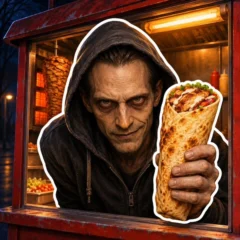
Every order in Scary Shawarma Kiosk: The Anomaly, a first-person cooking and anomaly horror game by Belavis, starts with a choice: prepare shawarma for a real customer or shut the service window on a suspected impostor. Your main objective is to make it through the night by following the kiosk’s rules, getting legitimate orders right, and keeping dangerous visitors outside. A normal-looking shift can turn tense as customers begin to look, speak, or act strangely.
Behind the Counter: Questions to Ask on Your First Shift
What should you do before taking an order?
Open the kiosk for business, close the entry door behind you, and read the in-game rules. Learn where the ingredients and the service-window button are so you can reach them without searching the kiosk while a customer waits. Keep the entry door closed when you can. It’s a separate opening from the window where you serve food.
How can you tell whether to serve a customer?
Look at the customer and pay attention to their behavior and speech before starting the order. If something about the visitor seems wrong under the kiosk’s rules, use the red button to close the service window and wait for them to leave. Check the window again before reopening it. If the visitor checks out, listen to what they want and prepare that order.
How do you make shawarma in Scary Shawarma Kiosk?
For a basic wrap, put sauce on the lavash, add sliced meat and vegetables, then roll it and serve it through the window. Treat that sequence as your starting point. The customer’s request tells you what to prepare for that visit.
- Start with the flatbread and sauce.
- Cut meat and add it to the flatbread, then add the vegetables for the order.
- Roll the wrap and hand it over. Check whether the customer asked for a drink as well.
What makes the Inspector a threat?
Mistakes raise the risk of an Inspector encounter. Rushing an order can cause problems even when you correctly identify the customer. If you lose a shift, think back to the last decision you made. Check whether you served someone suspicious or got a legitimate order wrong, then adjust that part of your routine on the next shift.
What Can You Unlock With Your Earnings?
The Establishments menu gives you a way to expand beyond the Old Kiosk. Locations have listed earnings per minute. For example, the Old Kiosk lists 30 per minute, the Food Truck lists 120, and Kiosk 24/7 lists 210. Check the menu for the current unlock options when deciding where to spend your money.
The Archive tracks challenges you can work on while serving customers. Early targets include cooking three shawarmas, cooking ten shawarmas, and selling ten colas. Other entries cover money milestones, serving certain types of customers, and a secret guest. If you’re working on the cola target, verify the drink request at the window so you don’t finish the food and overlook the rest of the order.
Controls and Menus
- Desktop: W, A, S, and D to move, mouse to look, and E to interact.
- Desktop menus: Tab for rules, Q for the Archive, R for Establishments, T for daily rewards, and P to pause.
- Mobile: Move with the left joystick, swipe to look, and use the on-screen buttons to interact.
Scary Shawarma Kiosk: The Anomaly FAQ
What does the green arrow over the red button mean?
It’s a prompt to press the red button and close the service window. Use it to shut the window on the suspicious visitor and wait until they leave before reopening.
Why should you close the kiosk door after entering?
Close the entry door to keep threats from coming in that way. The red button closes the service window, so check the entry door separately at the start of your shift.
Can you attract the Inspector even if you turn away suspicious customers?
Yes. Mistakes while preparing food can also lead to an inspection. Check what the customer asked for before you finish the wrap and hand it over.
Where can you find the cola and shawarma challenges?
Open the Archive to see your challenge targets. It includes separate goals for cooking shawarmas and selling colas, so check which one you’re working toward.
Where do you unlock the Food Truck?
Look for Food Truck in the Establishments menu. Use that menu to check the unlock and compare its income rate with other locations.