
























Unfamiliar Object
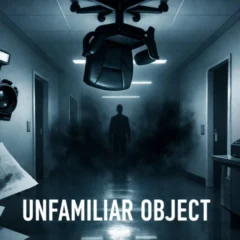
Unfamiliar Object is a first-person anomaly horror game by Resenhadobar. You’re inspecting an office after hours, and one object doesn’t belong. Your job is to identify it, photograph it with your inspection camera, and send the evidence from the correct fax machine before time runs out. Click inside the game to enable mouse look, then move with W, A, S, and D or the arrow keys.
How to complete an inspection
- Read the current shift’s rules. The procedure can change between shifts. Before you start searching, check what the current instructions ask you to report and what restrictions apply.
- Inspect the corridor and rooms. Look for an office object that differs from what you’d expect in that space. Start with a quick scan from the doorway, then move closer to any detail you can’t make out from there.
- Take the evidence photo. Once you’ve chosen your object, press Space to raise the camera. Aim until the object is outlined, then left-click to take the picture. Check what the outline is around before clicking.
- File the report. Leave the photographed room and keep it off your route. Find the correct highlighted fax machine and left-click it to submit the photo before the deadline.
What makes this office shift unsettling?
The office is quiet enough that a detail you walked past a moment ago can suddenly hold your attention. Look at each object in context. Think about where you’d expect to find it, how it sits in the room, and what looks off when you give it a second glance. The pressure builds when you have to commit to one object and still leave yourself time to deliver the evidence.
- Two objects look suspicious
- Revisit the shift’s instructions in your head. Compare the exact detail that made each object stand out and choose the one that best fits the report. Do this before taking the photo, while you can still look around freely.
- You lose time after taking the picture
- As you inspect, remember which way takes you back into the main corridor. Once the photo is taken, head straight for the highlighted fax and make sure your route stays out of the photographed room.
- The next shift looks familiar
- Use your memory of the corridor to get around, then read the new instructions before applying any rule from the previous shift.
Controls at a glance
- Look around: Click inside the game, then move the mouse.
- Walk: Use W, A, S, and D or the arrow keys.
- Raise or lower the camera: Press Space.
- Take a photo: Left-click with the camera raised and the target outlined.
- Submit the photo: Left-click the correct highlighted fax machine.
Unfamiliar Object FAQ
How do you complete a shift in Unfamiliar Object?
Identify the anomaly, photograph it, and submit the photo at the correct highlighted fax machine before time runs out. Follow the current shift’s rules along the way.
How do you take a photo?
Press Space to raise the inspection camera. Aim at the object and left-click when it is outlined.
Can you go back into a room after taking a photo?
Once you’ve photographed a room, keep out of it. Plan your way to the fax machine so you can reach it without going back inside.
Do the rules stay the same between shifts?
The rules can change between shifts. Read the current instructions at the start of each inspection.
Can you play Unfamiliar Object on a phone?
The browser release is listed for PC. Use a desktop or laptop with a keyboard and mouse for the documented controls.